
Carbon Fiber
Ready
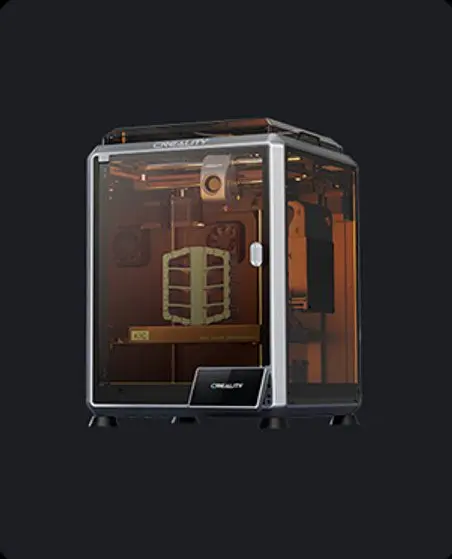
K1C Carbon 3D Printer
Meet the K1C, champion of speed and skills
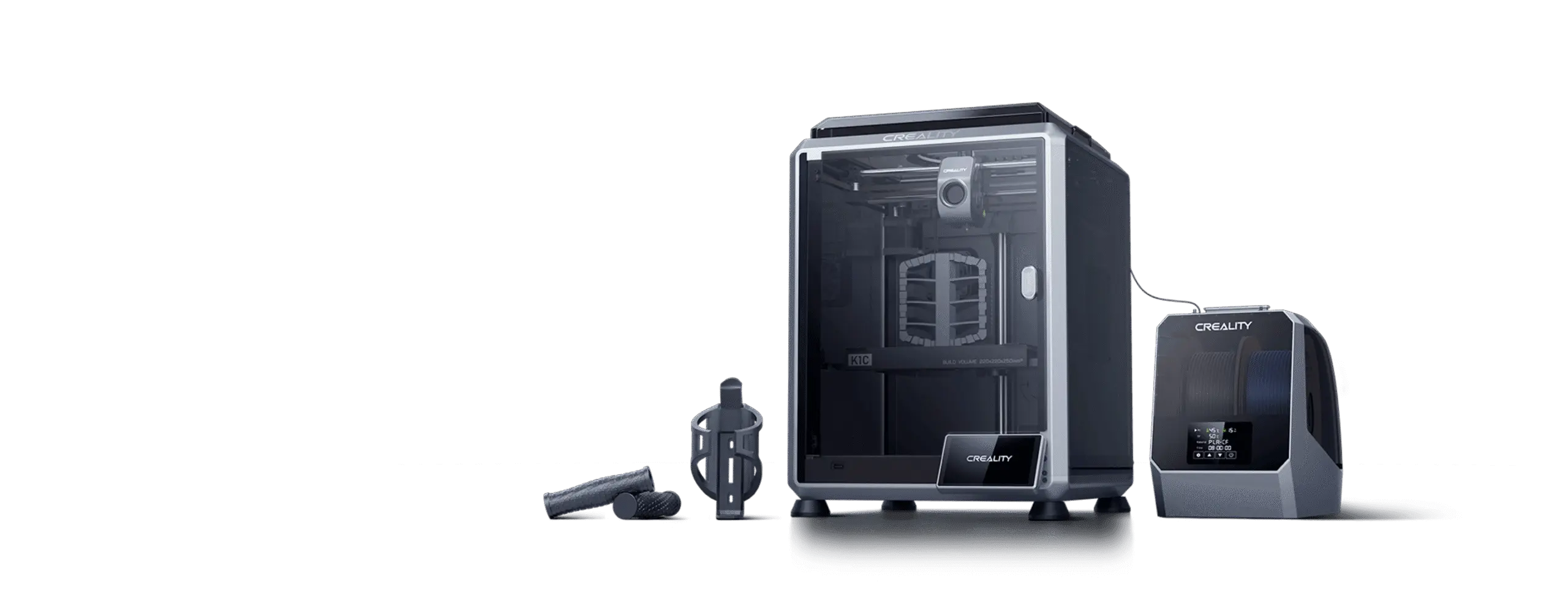
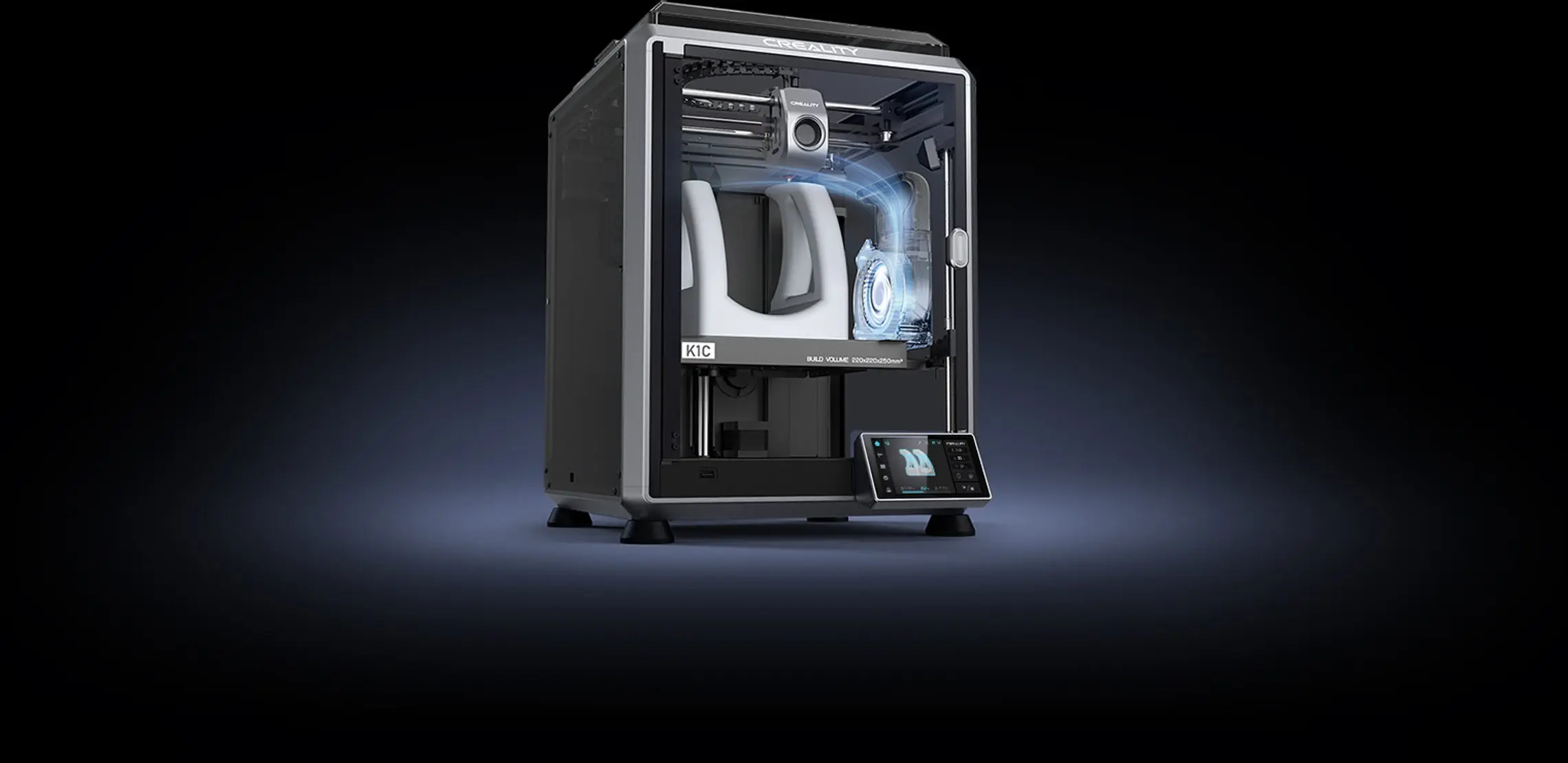
A fully enclosed CoreXY printer with a clog-free extruder, a quick-swap tri-metal nozzle and a built-in AI camera, tuned to print carbon-fiber filled filaments as comfortably as everyday PLA — at up to 600mm/s.
600mm/s Max Speed*
Clog-free Extruder
Observant AI Camera
Carbon Fiber Ready
Meet the K1C
Progress towards a perfect 3D printer
The K1C Carbon 3D Printer takes everything that made the K1 series fast and adds what tougher materials need: a clog-free direct drive extruder rated for 1,000+ hours of continuous use, a tri-metal nozzle that swaps in seconds, and a fully enclosed chamber that keeps carbon-fiber and other advanced filaments printing cleanly.
Why choose it
Why Choose the K1C Carbon 3D Printer?
Five qualities that make it a genuine step up for speed, durability and material choice.
✓
Reliable Extrusion
The clog-free extruder kit grips filament tightly with a bolster spring and ball plunger, built for 1,000+ hours of continuous printing.
↻
Easy Maintenance
The tri-metal "unicorn" nozzle is a quick-swap design, so changing it takes one hand and no tools.
➜
High Efficiency
Up to 600mm/s* max printing speed and 20,000mm/s²* acceleration on a dynamic CoreXY structure.
◎
Intelligence
A built-in AI camera watches every print, flagging spaghetti failures and foreign objects before they ruin a job.
◆
Wide Uses
A 300°C hotend and hardened steel nozzle tip mean carbon-fiber filled filaments are fully supported, alongside everyday materials.
Under the hood
What's inside the K1C
A CoreXY platform tuned for speed, durability and demanding materials.
Printing Technology
Fused deposition modeling (FDM) on a lightweight, dynamic CoreXY structure.
Build Volume
220 × 220 × 250mm, enough for props, prototypes and functional parts.
Extruder
All-metal direct drive with a clog-free design for fiber-filled filaments.
Leveling
Hands-free auto calibration covers Z-offset, bed leveling and input shaping in one tap.
Enclosure
Fully enclosed die-cast metal frame with acrylic panels and a glass door for stable chamber heat.
Compatibility
Slices from Creality Print or Cura on Windows, Mac OS or Linux.

Extrusion system
Robust extruder, enhanced reliability
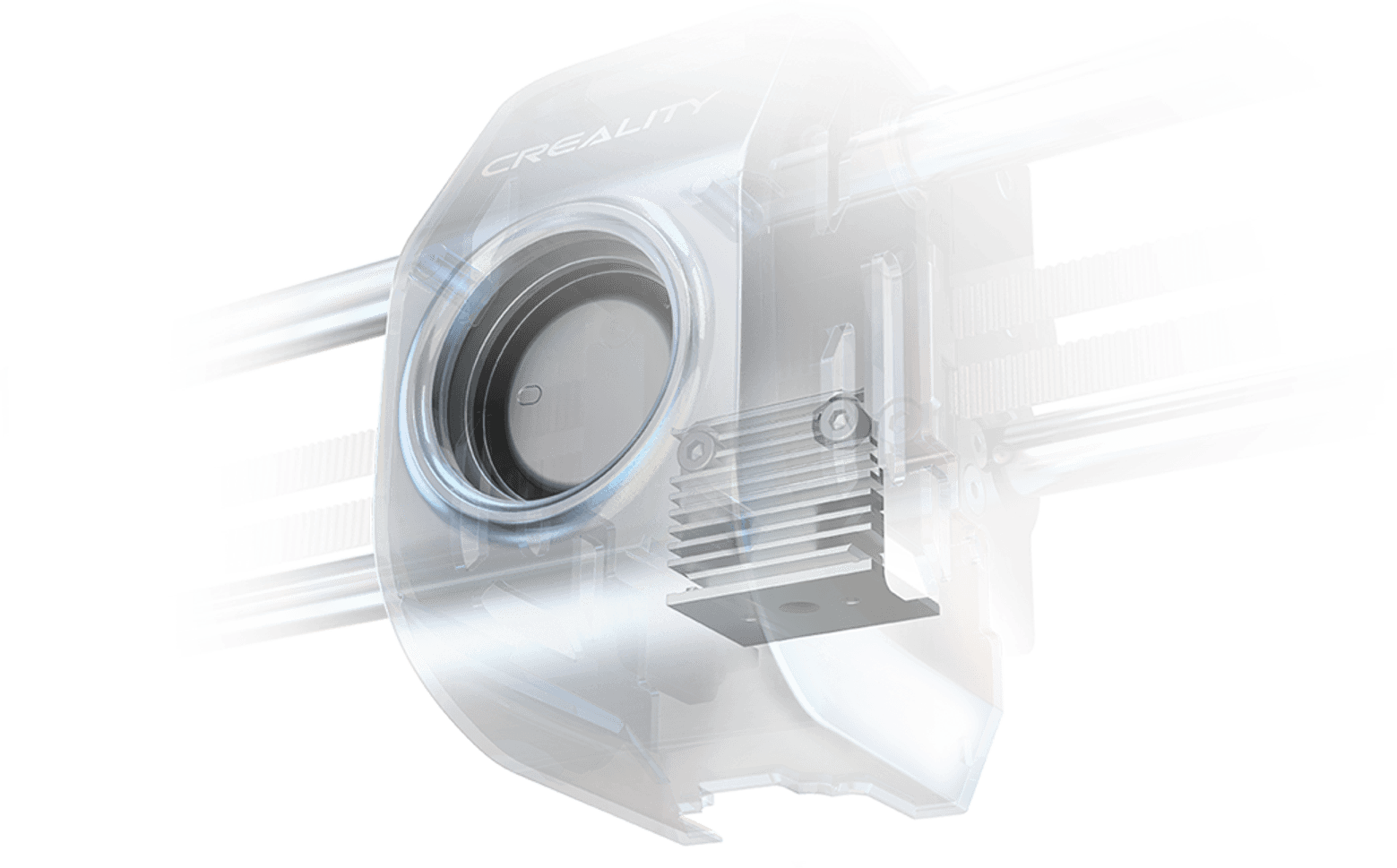
The K1C's extruder is enhanced with a bolster spring and a ball plunger. It grips filament tightly without slackening off, even at speed.
Rated for over 1,000 hours of clog-free extrusion, so long carbon-fiber jobs stay uninterrupted.*
*Data from Creality Lab.
1000h+ clog-free extrusion
Nozzle
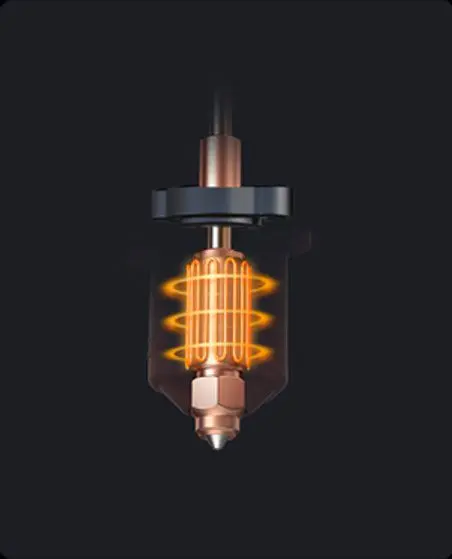
Tri-metal "unicorn" nozzle, quick to swap
A durable steel-tipped copper nozzle is integrated with a titanium alloy heatbreak. It blocks heatcreep, resists abrasion from fiber-filled filaments, and swaps out with one hand.
One-handed swap
Great durability
Smooth feeding
Cooling
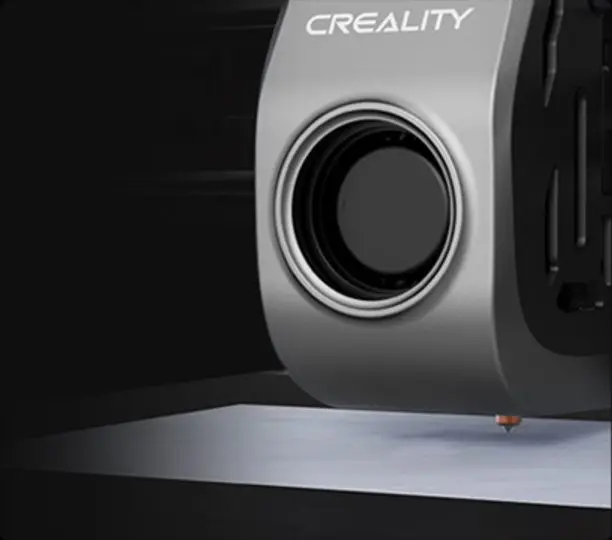
Cooling trio, refining the print quality
Three fans, three jobs — from protecting the hotend to finishing every layer.
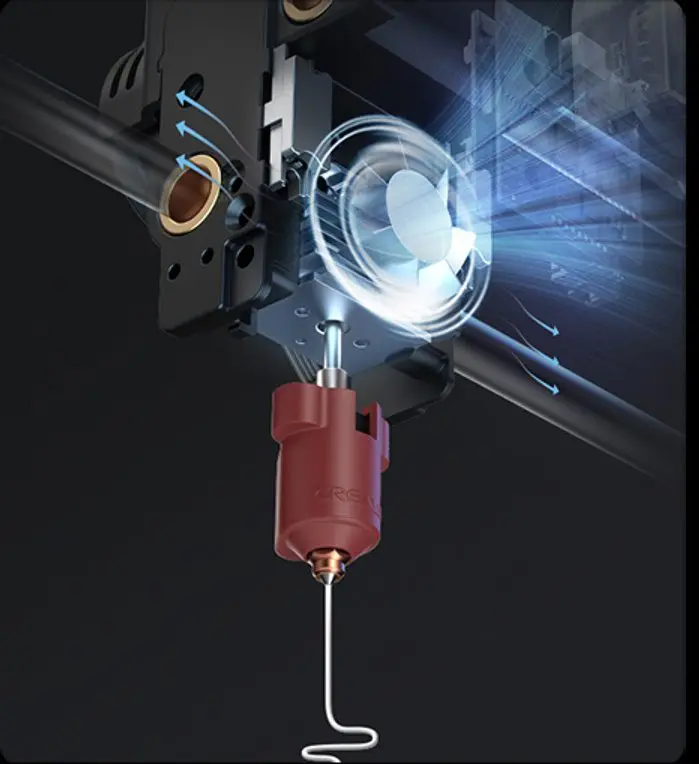
1st: Hotend Fan
Minimal heat creep — hardly any heat travels up from the hotend to the extruder, so the feeding flow stays clean.
2nd: Part Cooling Fan
Instant hardening — a strong, dynamically balanced airflow hardens fresh extrusion, catalyzing layer bonding and refining texture.
3rd: Auxiliary Fan
Overall print quality — an extra fan on the chamber's side assists model cooling, minimizing stringing and warping on bridges and overhangs.
Print quality
See the difference cooling makes
Bridges and overhangs come out cleaner and straighter with the K1C's triple-fan cooling, compared to a single-fan setup on a regular 3D printer.
*Model author @Gerhard_85.
Materials
Why does the K1C support so many filaments?
Three design choices working together to keep demanding materials in reach.
300°C Hotend + Hardened Steel Nozzle Tip
Goes well with high-temp and wear-resistant filaments, including carbon-fiber filled blends.
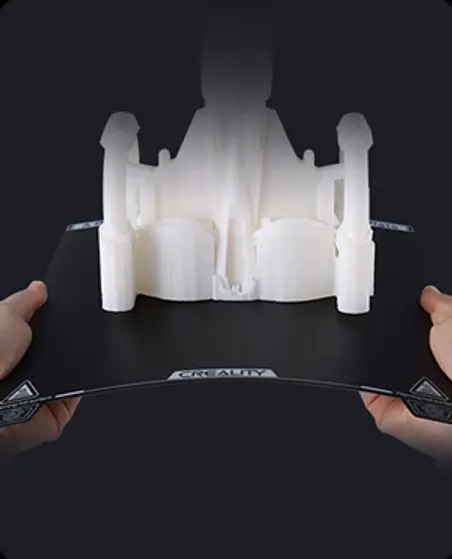
PEI Flexible Plate
Sticky to a wide range of materials, but able to release 3D models with a gentle bend once they're done.
Enclosed Design
Creates a constantly high-temperature environment inside the chamber, so prints forge stronger.
Carbon fiber ready
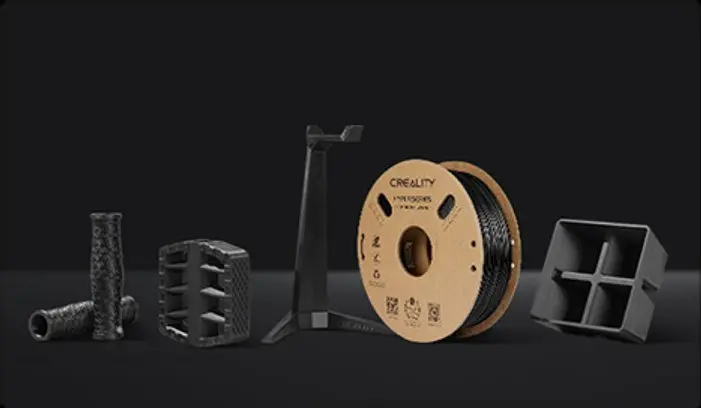
PLA-CF / PET-CF for jigs, fixtures and prototypes
Carbon-fiber filled filaments bring amazing mechanical strength and dimensional stability — a genuine option for jigs, fixtures, functional prototypes and load-bearing parts, not just showpieces.
Everyday materials
PLA / ASA / ABS / TPU and more
Beyond carbon fiber, the K1C handles the everyday materials for toys, props, storage boxes and ornaments — so it's just as at home printing gifts and classroom projects as it is functional parts.
Speed
Champion of speed
Max printing speed 600mm/s*; max acceleration 20,000mm/s²*.
3 min
From unboxing to powering on*
600mm/s* max printing speed
20,000mm/s²* max acceleration
20,000mm/s²* max acceleration
*Data from Creality Lab.
Setup
Carefree and smart, from start to finish
Highly automated except for a few taps — the K1C is as simple to use as a smartphone.
1
Out-of-the-Box Experience
Well assembled and tested before shipment, so it's ready for plug and play straight away.
2
Auto Calibration, One Tap
Auto Z-offset, auto leveling and an auto input shaping test all run from a single tap.
3
AI Camera Watching Over
The built-in AI camera keeps an eye on the print and alerts you the moment something needs attention.
Details
Details you will surely love
✓
Spaghetti Detection
The AI camera recognises a failed print early and can pause the job before filament goes to waste.
◎
Foreign Object Detection
Spots debris left on the plate before a new print starts, protecting the nozzle and the build surface.
▶
Time-lapse Filming
Turns every print into a shareable clip, straight from the built-in camera.
◉
Remote Monitoring
Check progress, temperatures and time remaining from a phone or PC over WiFi.
↻
OTA Firmware Update
Keep the printer current without a cable in sight.
♪
Silent Mode
Dial the speed and noise level back for a quiet print that sounds like turning pages in a book.
Optional accessories
Kit it out as your printing grows
CFS Upgrade Kit
Adds multicolor printing to the K1 series, feeding up to several spools into a single job.
Spare Nozzle Kit
Keep a spare tri-metal nozzle on hand so a quick swap never holds up a job.
PLA-CF / PET-CF Filament
Carbon-fiber filled spools tuned for strength and dimensional stability on the K1C.
Full specifications
K1C Carbon 3D Printer Specifications
- Printing Technology
- Fused deposition modeling, CoreXY kinematics
- Build Volume
- 220 × 220 × 250mm
- Frame
- Fully enclosed die-cast metal frame, acrylic panels, glass door
- Max. Printing Speed
- 600mm/s
- Max. Acceleration
- 20,000mm/s²
- Nozzle Temperature
- Up to 300°C
- Heatbed Temperature
- Up to 100°C
- Build Surface
- PEI flexible magnetic build plate
- Filament Diameter
- 1.75mm
- Nozzle Diameter
- 0.4mm default (0.6mm, 0.8mm compatible)
- Firmware
- Klipper -based
- Extruder
- All-metal direct drive, clog-free design
- Nozzle
- Tri-metal "unicorn" nozzle — copper body, steel tip, titanium alloy heatbreak
- Cooling
- Triple fan — hotend fan, part cooling fan, auxiliary chamber fan
- Leveling Mode
- Hands-free auto calibration (Z-offset, leveling, input shaping)
- AI Camera
- Built-in — spaghetti detection, foreign object detection, time-lapse, remote monitoring
- Power Loss Recovery
- Yes
- Filament Runout Sensor
- Yes
- Rated Power
- 350W
- Supported Filaments
- PLA, PETG, ABS, ASA, TPU, PA, PC, PLA-CF, PET-CF, PA-CF
- File Transfer
- USB Drive, LAN, Creality Cloud App
- Slicing Software
- Creality Print, Cura