

Codey Rocky is a beginner coding robot kids can use straight out of the box. Start with drag-and-drop blocks on a tablet or computer, then grow into Python, AI and IoT projects.

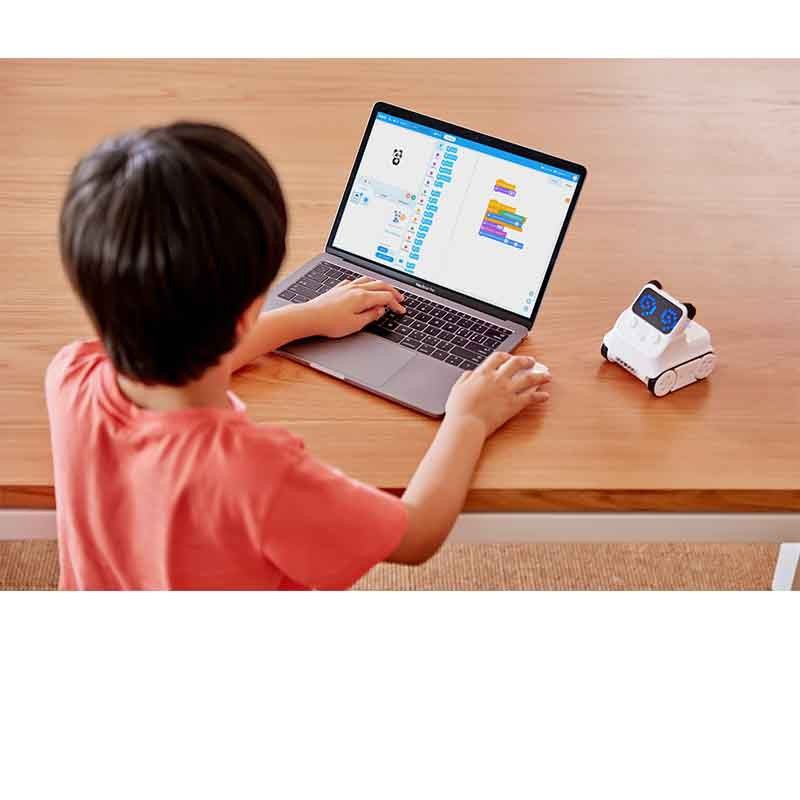
Codey Rocky is two robots in one. Codey is a handheld controller with an LED screen, buttons and built-in sensors. Rocky is the driving base that turns Codey into a moving robot.
There's nothing to build, so kids can start coding in the very first lesson.

With 20+ coding tasks and rich online tutorials, Codey Rocky helps children learn robotics, programming, game design and IoT in a fun way.
Each component is carefully designed to enable kids to be creators, inventors and entrepreneurs.
Codey Rocky gives learners a hands-on way to learn coding, robotics and computational thinking. Its screen, buttons, speaker and sensors respond to the code children write, so ideas like sequencing, loops and conditions become something they can see, hear and play with.
Codey Rocky is ready out of the box and rechargeable, so there's no setup time eaten out of a lesson. Guided coding tasks and online tutorials give teachers ready-made activities for primary school learners.
The same robot works at every level. Children start with Scratch-style blocks in mBlock, then switch to Python and explore AI and IoT projects, so Codey Rocky stays useful for years.
Try mBlock online for free, look at our screen-free option for younger learners, or get help with a robot you already own.
Every level uses the same robot, so it keeps being useful as skills develop.
Kids drive Codey Rocky, draw faces on the LED screen and complete guided coding tasks with simple drag-and-drop blocks.
Scratch-style blocks teach real programming ideas: sequences, loops, events and conditions, using the robot's sensors and screen.
Switch the same projects to Python, and use AI extensions and Wi-Fi to build smarter, connected projects.
Try mBlock onlineBuy locally with stock on hand, and get support from a team that works with schools every day.
Talk to us about school orders
Codey Rocky is recommended for ages 6 and up. Younger children can start with our screen-free mTiny robot range.
No. Codey Rocky is ready to use straight out of the box. Just charge it, connect it to mBlock and start coding.
Codey Rocky is coded with mBlock, which runs on a computer or a tablet or phone through the mBlock app.
Learners start with Scratch-style block coding, then move on to Python on the same robot as their skills grow.
Yes. It needs no assembly, comes with 20+ guided coding tasks, and we can help with school orders and support.