
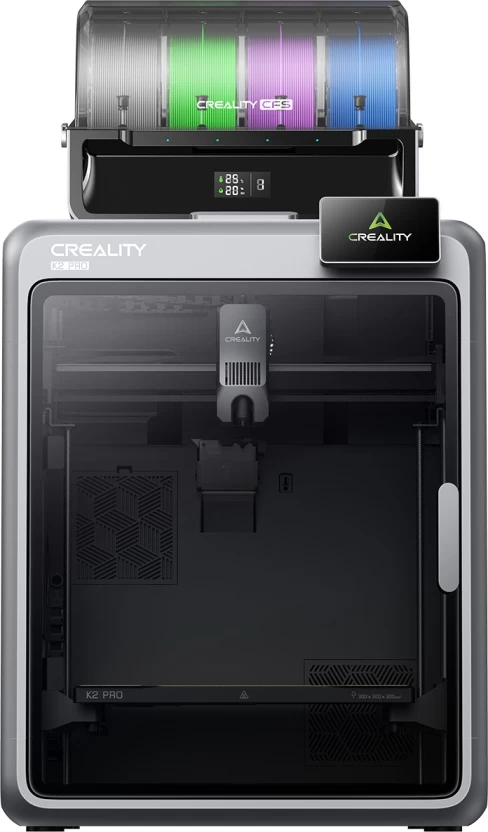



The Creality K2 Pro bundled with the Creality CFS filament system, ready for 16-color multicolor and multi-material printing out of the box. Includes the same 300×300×300mm build volume, step-servo motor system for 600mm/s printing, and next-gen direct drive extruder as the standard K2 Pro.
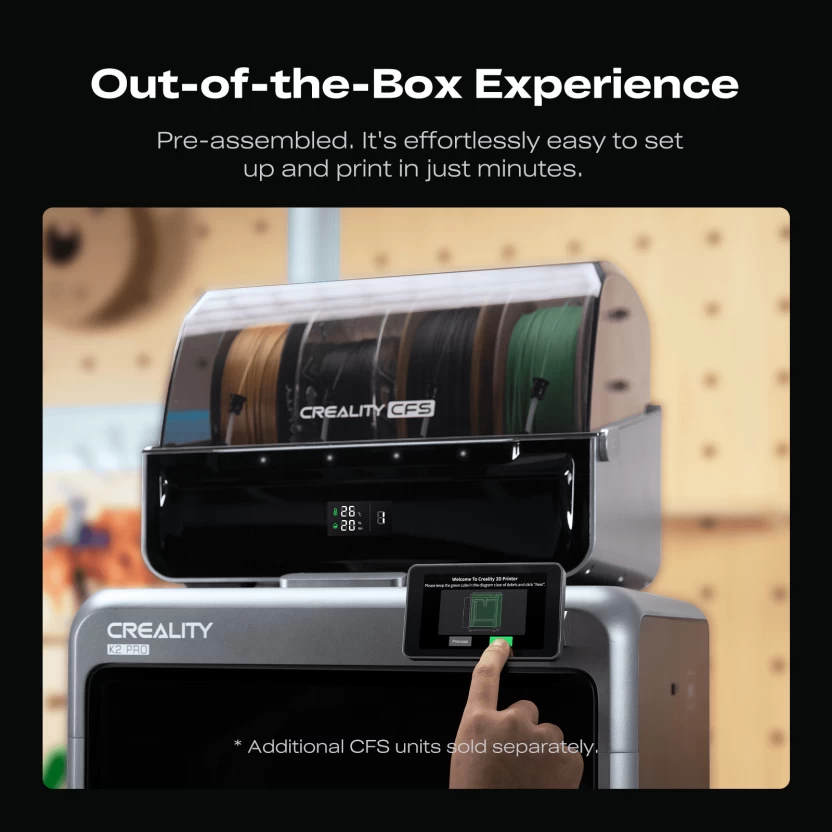
The Creality K2 Pro Combo 3D Printer pairs the K2 Pro with the Creality CFS (Color/Filament System) in a single bundle, so you can start printing in multiple colors and materials from day one instead of adding the CFS as a separate upgrade. It’s the same ultra-sturdy 300×300×300mm CoreXY printer as the standalone K2 Pro, built for speed, reliability, and now, out-of-the-box multicolor printing.
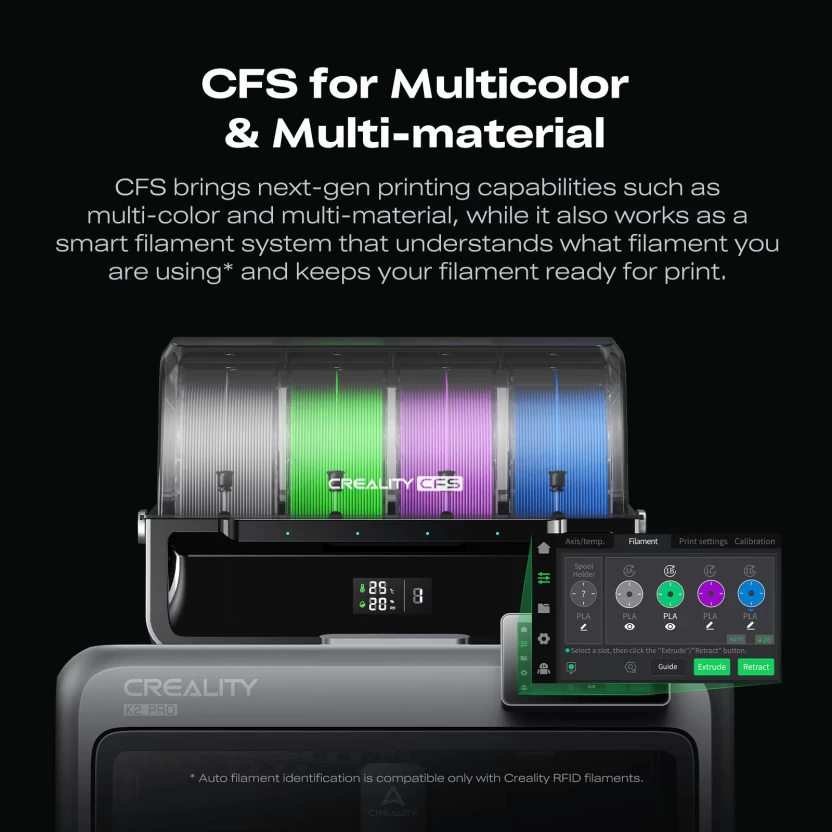
This bundle includes the K2 Pro 3D printer along with a Creality CFS unit, letting you load multiple filament spools and run multicolor or multi-material prints without buying the CFS separately. Add up to three more CFS units later to expand from a single color up to 16 colors in one print job.
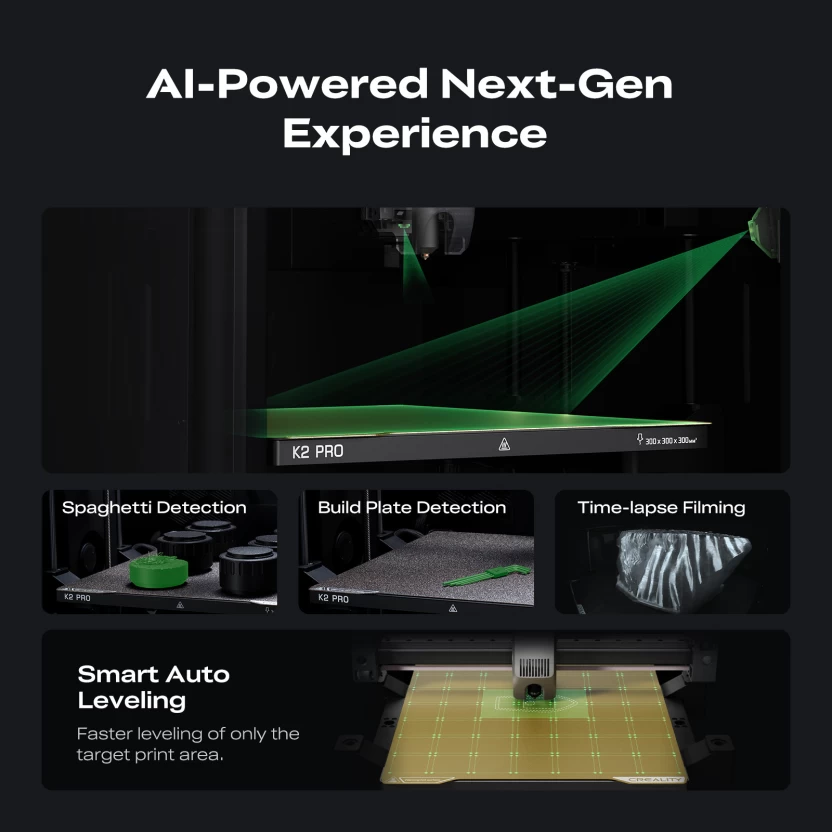
The K2 Pro Combo 3D Printer doesn’t compromise on the specs that make the standard K2 Pro a strong performer. A step-servo motor system drives printing speeds up to 600mm/s across a super rigid exoskeleton frame, die-cast from aerospace-grade aluminum alloy. A precise steel X-axis rail and dual Z-axis assisted by 4 linear rods keep prints accurate even at high speed, and the printer has been through over 400 hours of intensive stress testing.
Extrusion is handled by the next-gen direct drive extruder, with a 40mm³/s high-flow hotend and a quick-swap nozzle for fast maintenance — the same extruder used across the K2 series.
With the included CFS, the K2 Pro Combo can handle color changes automatically mid-print — no manual filament swaps. This makes it well suited to classrooms teaching design and color theory, or makers who want to add multicolor prototypes and models to their output without a separate purchase and setup step later.
Prefer to add multicolor printing later instead of upfront? See the standalone Creality K2 Pro 3D Printer and add a CFS unit whenever you’re ready.
This bundle suits schools and studios that know they want multicolor printing from the start and would rather buy it as one package than piece it together later. It’s the same reliable K2 Pro hardware, just ready for color out of the box.
If you already know multicolor printing is part of your workflow, the K2 Pro Combo 3D Printer is the more cost-effective route — you get the printer and the first CFS unit together instead of buying them separately. It’s the same underlying machine as the standalone K2 Pro, so you’re not sacrificing any speed, build volume, or reliability by choosing the bundle. The only difference is what’s in the box on day one.
For schools planning a design or engineering unit that involves color-coded models, or for makers building a product portfolio that benefits from multicolor prototypes, the K2 Pro Combo removes an extra purchasing step later. You can still expand it further down the line by adding up to three more CFS units, taking it from a single color up to the full 16-color setup, without needing to replace the printer itself.
Not sure which option fits your setup? Get in touch with our team and we’ll help you compare the K2 Pro Combo against the standalone K2 Pro for your specific use case.


COMING SOON
We’re putting the finishing touches on our brand-new practical
1-hour workshops for South African teachers.
Leave your details below to receive exclusive launch updates and early access.
R99 per teacher per workshop. Adjust the numbers below and see what your school training could cost.